Cinema Applications
The Cinema:Theater application introduces the concept of application to Cinema. A application is a defined set of filters and views that can be used to view some collection of data. Several applications are defined in the module, and can be used from either the command line or the Cinema:Theater application.
Cinema:Explorer application
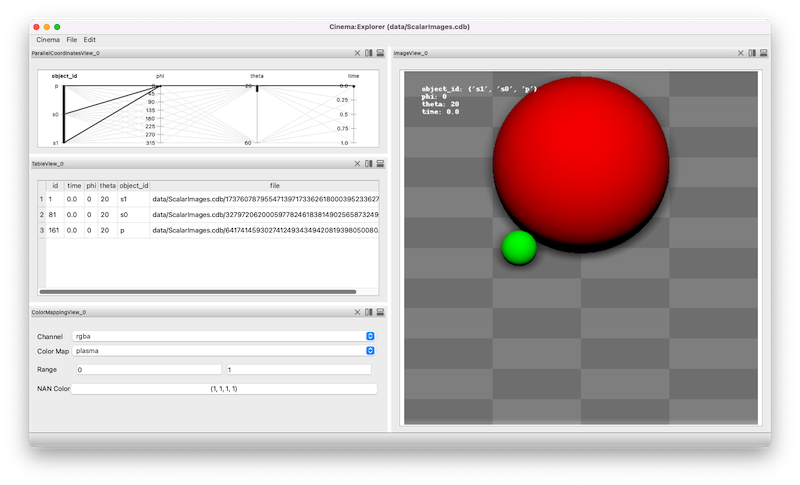
The Cinema:Explorer application provides a parallel coordinates view, a table, rendering controls and an image view. The image view adjusts to show all images that are selected in the parallel coordinates view. Brushing and selecting on the the parallel coordinates view selects images that are then displayed in the image view.
In this example, three objects are composited into a single image. These elements (a red sphere, a green sphere and a checkered background) are selected in the leftmost axis. Note the three entries in the table view, showing the metadata for these three objects at a single phi, theta and time.
Selecting four timesteps (the rightmost axis) results in four images being displayed, and the table view of the selected components being updated.
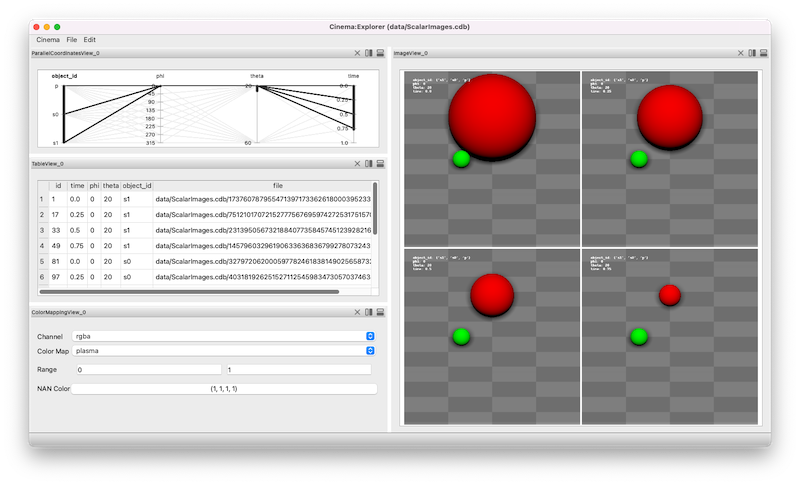
Finally, selecting five phi values results in twenty images (4X5) being displayed, and the table view of the selected components being updated.

Cinema:View application
The Cinema:View application provides a parameter slider view, a table, rendering controls and an image view. The application will show a single image, based on the values of the sliders.
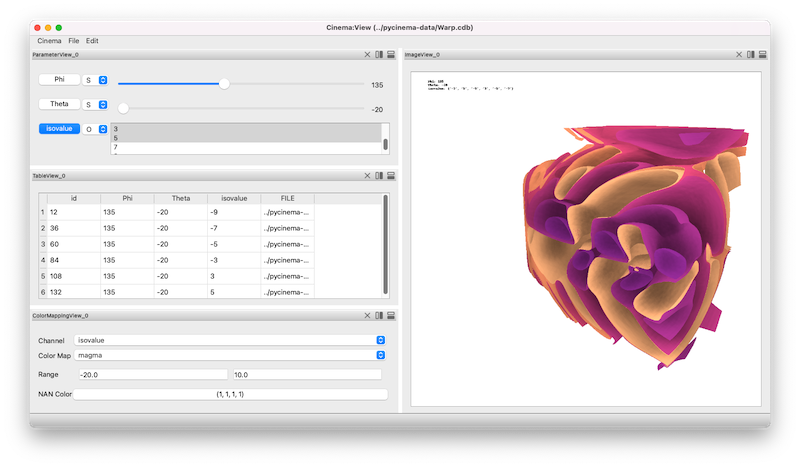
Screen capture of the Cinema:View application, showing a composite image of several isosurface values for a simulation at a single (phi, theta) value.