Cinema Theater
The Cinema:Theater application is used to create, modify and save new filter/view combinations. Users can start from scratch and build filter graphs, open existing cinema databases, or open existing scripts. These can then be modified and saved. To start using Cinema:Theater, run the cinema tool from the command line with no arguments:
cinema
The application will start, and the user will see a blank view. New filter graphs can now be built using the following steps:
Add individual filters through the Edit->Add filter … menu item.
Load an existing script with File->Load script …
Open an existing Cinema database with File->Open Cinema database …
Loading the ImageEdgeDetection.py script from the examples results in the following configuration:
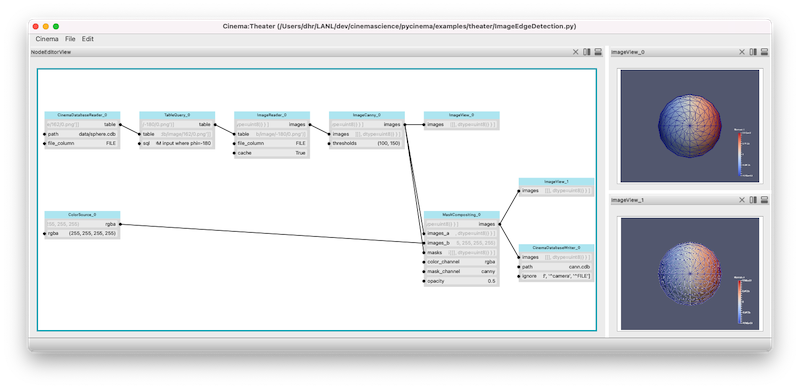
Screen capture of the example ImageEdgeDetection.py script running in Cinema:Theater.